
Simple Restaurant Opening Planner
A spreadsheet and printable checklist to see roughly what your restaurant or café could cost to open and run, and the sales you'd need to break even.
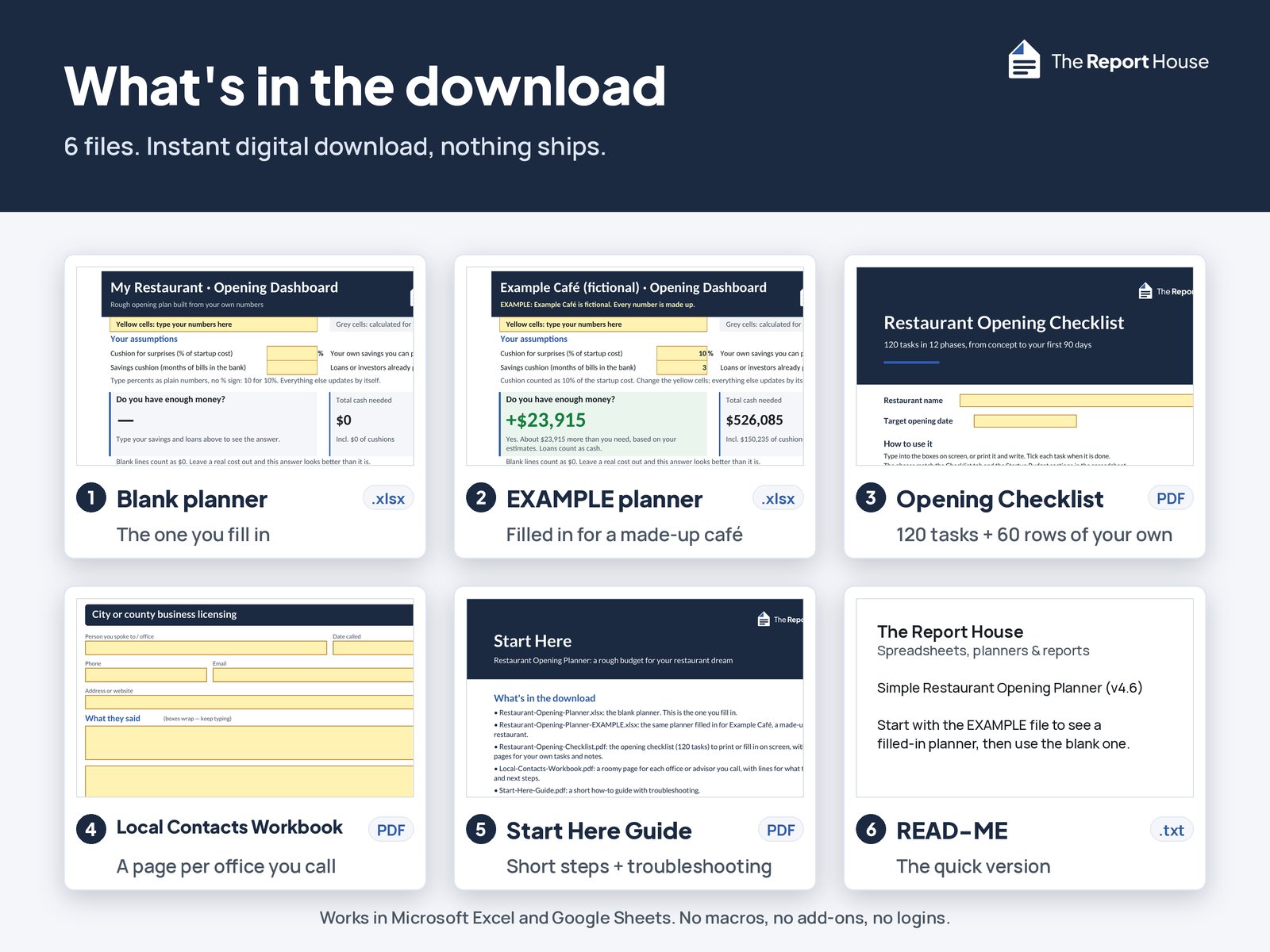
Instant digital download. 2 spreadsheets (.xlsx), 3 PDFs and a READ‑ME file.

See inside the planner
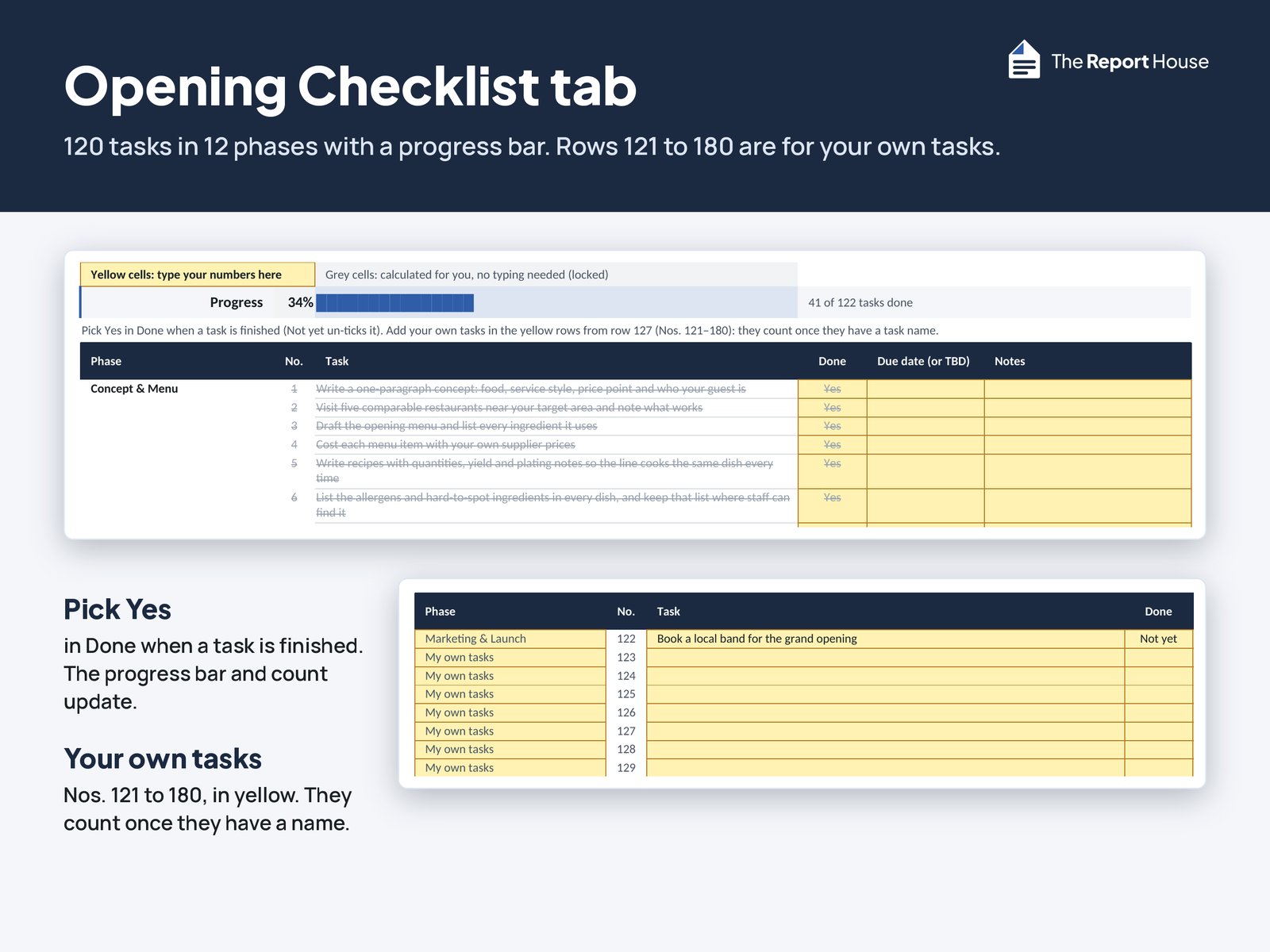
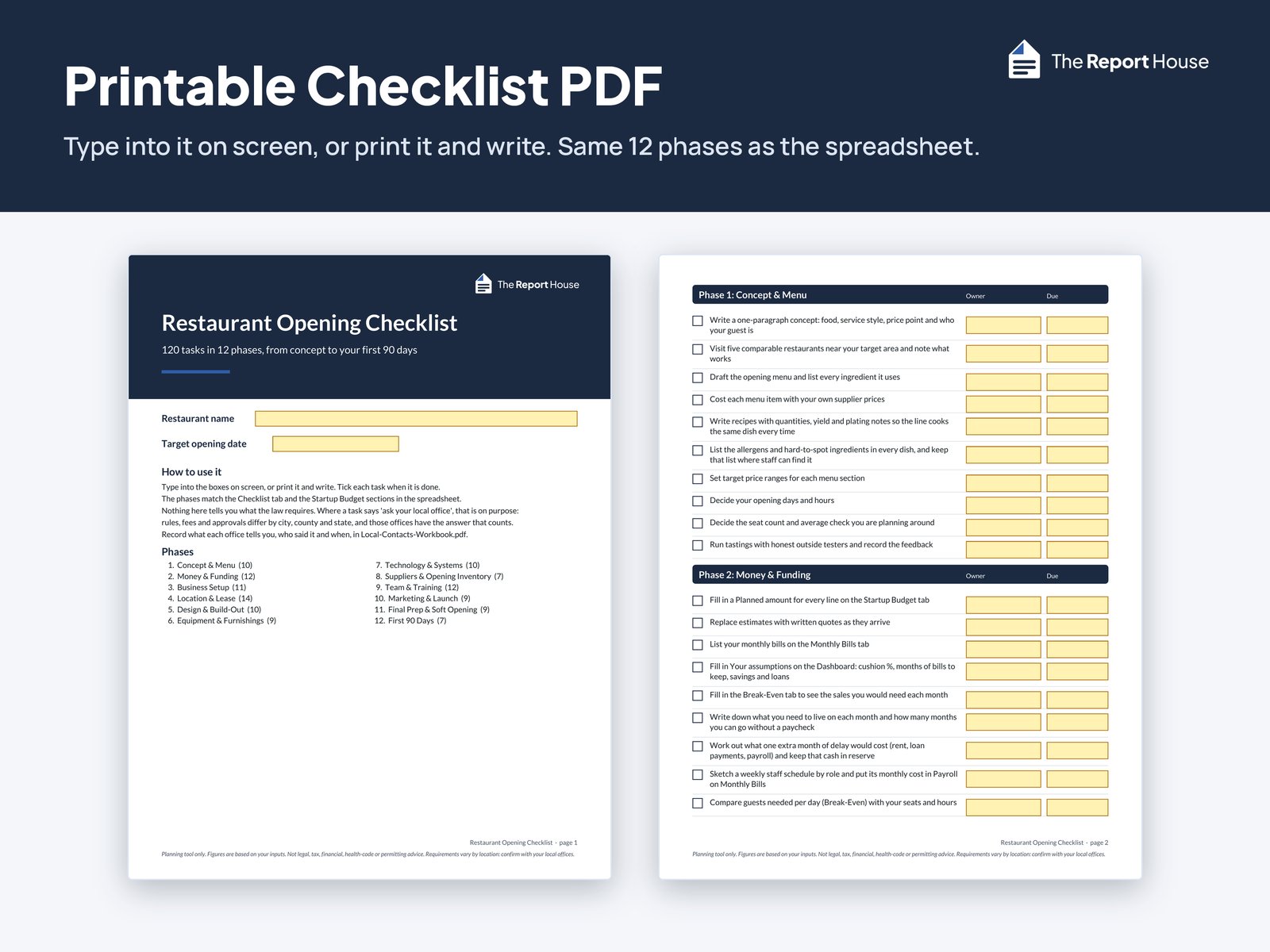
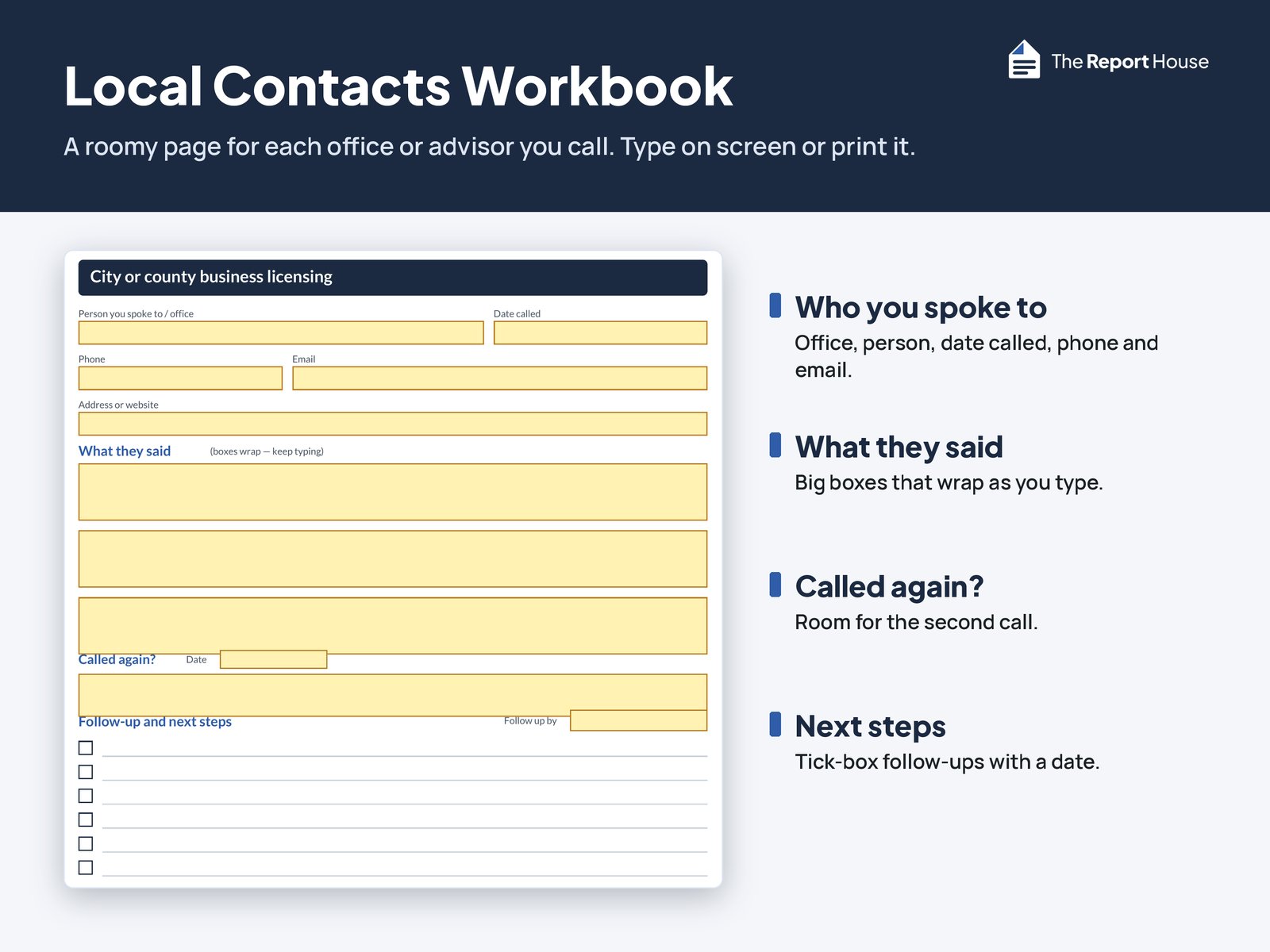
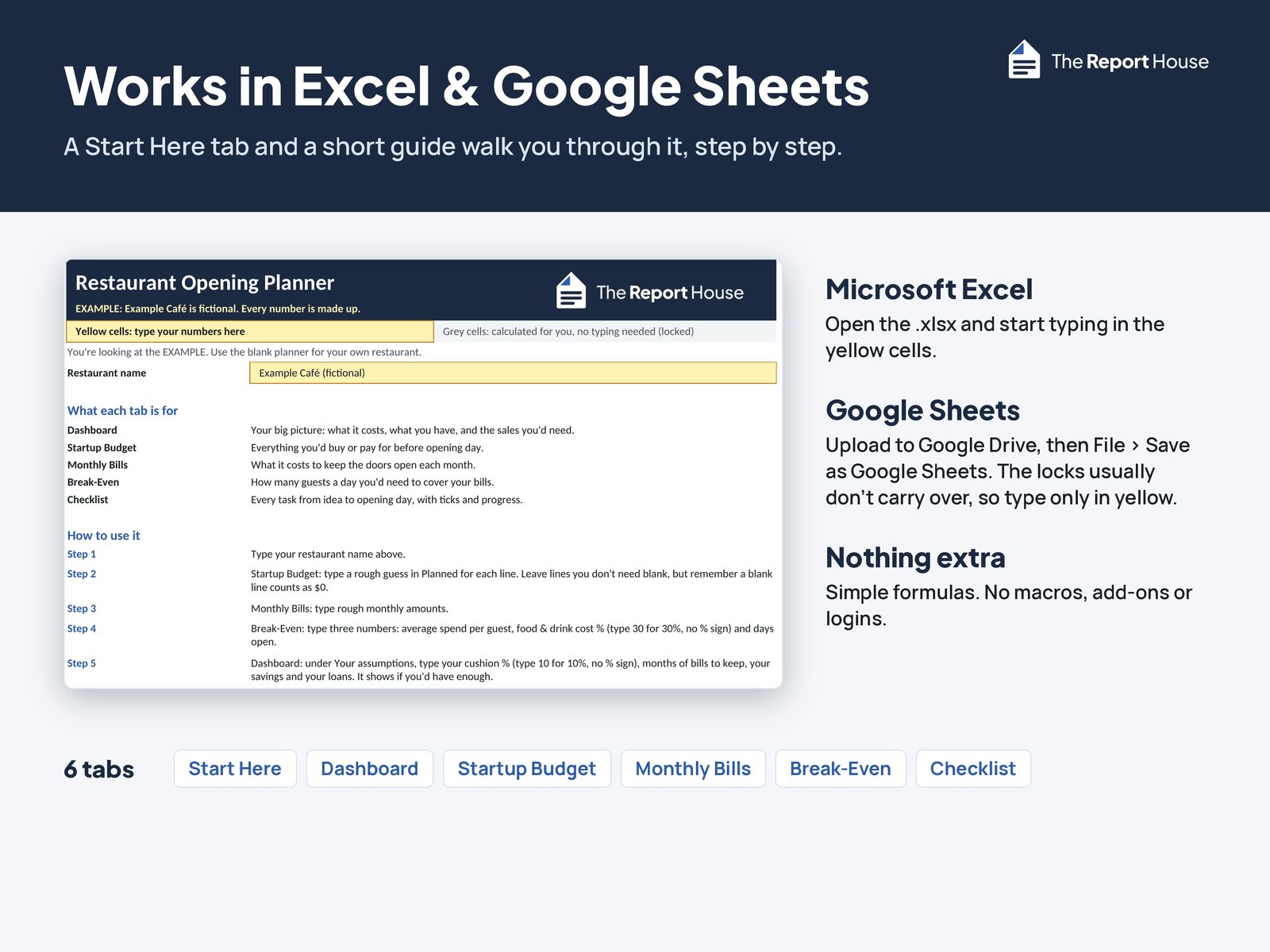
Real screens from the files. Example Café and its numbers are fictional. Select a picture to see it larger.
Who it's for
- First-time planners opening a restaurant or café
- People who want plain-language labels and simple numbers, not an accounting course.
- People who want a rough answer before signing a lease or buying equipment
What's in the download
6 files in one zip.
- Restaurant Opening Planner (.xlsx)Blank, ready to fill in, with 6 tabs: Start Here, Dashboard, Startup Budget, Monthly Bills, Break-Even and Checklist.
- Example Café file (.xlsx)A fictional sample so you can see how it works.
- Opening Checklist PDFA pre-opening checklist: 120 tasks in 12 phases, from concept and menu to your first 90 days, to type into or print, plus 60 blank numbered rows for your own tasks.
- Local Contacts Workbook PDFRoomy pages for who you called and what they said.
- Start Here Guide PDFShort setup steps and troubleshooting.
- READ-ME.txtThe files and the main tips at a glance.
What it helps you work out
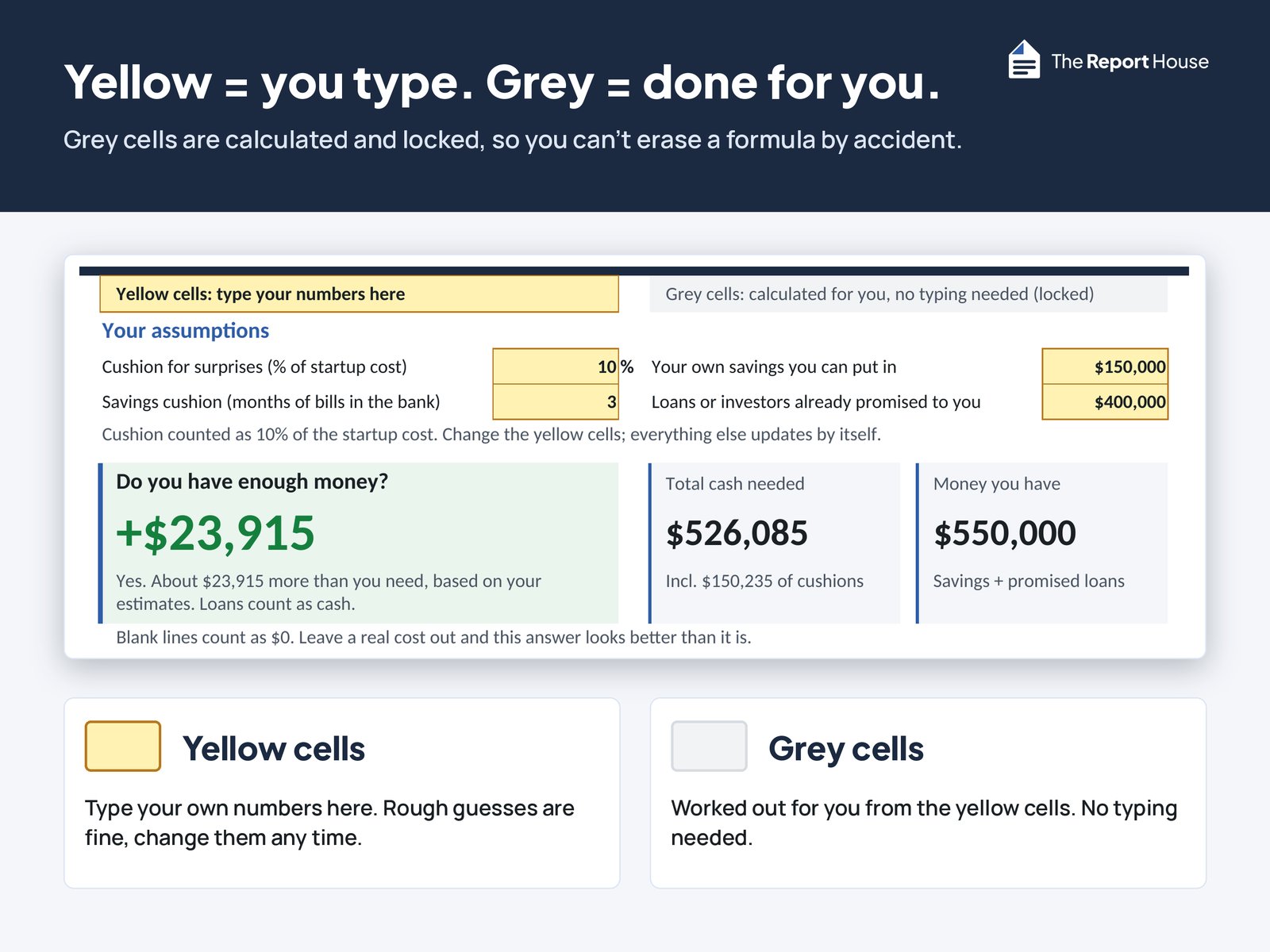
- A Dashboard answer: Do you have enough money? based on your estimates
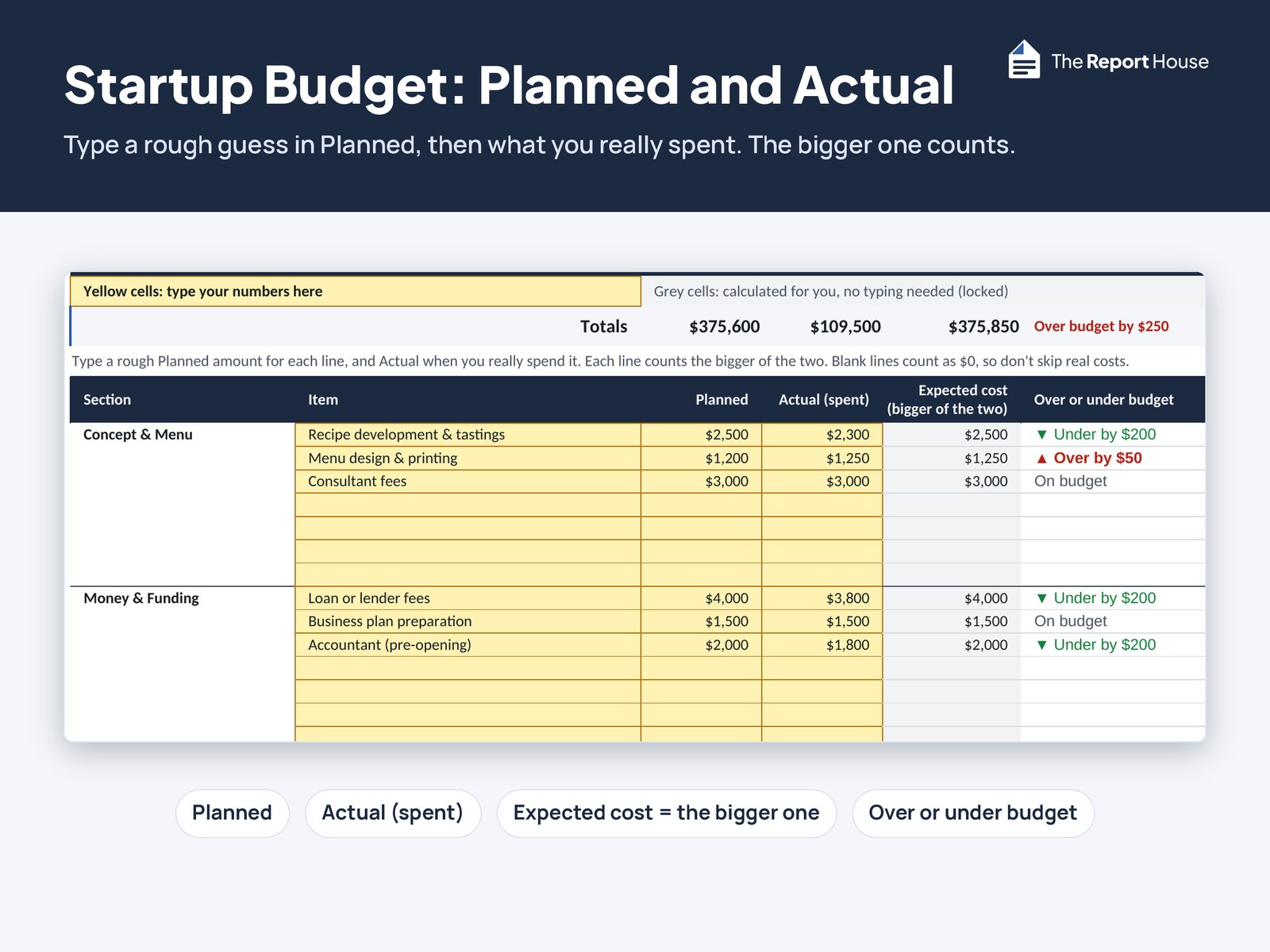
- Startup costs with Planned and Actual amounts (the higher one counts as your expected cost)
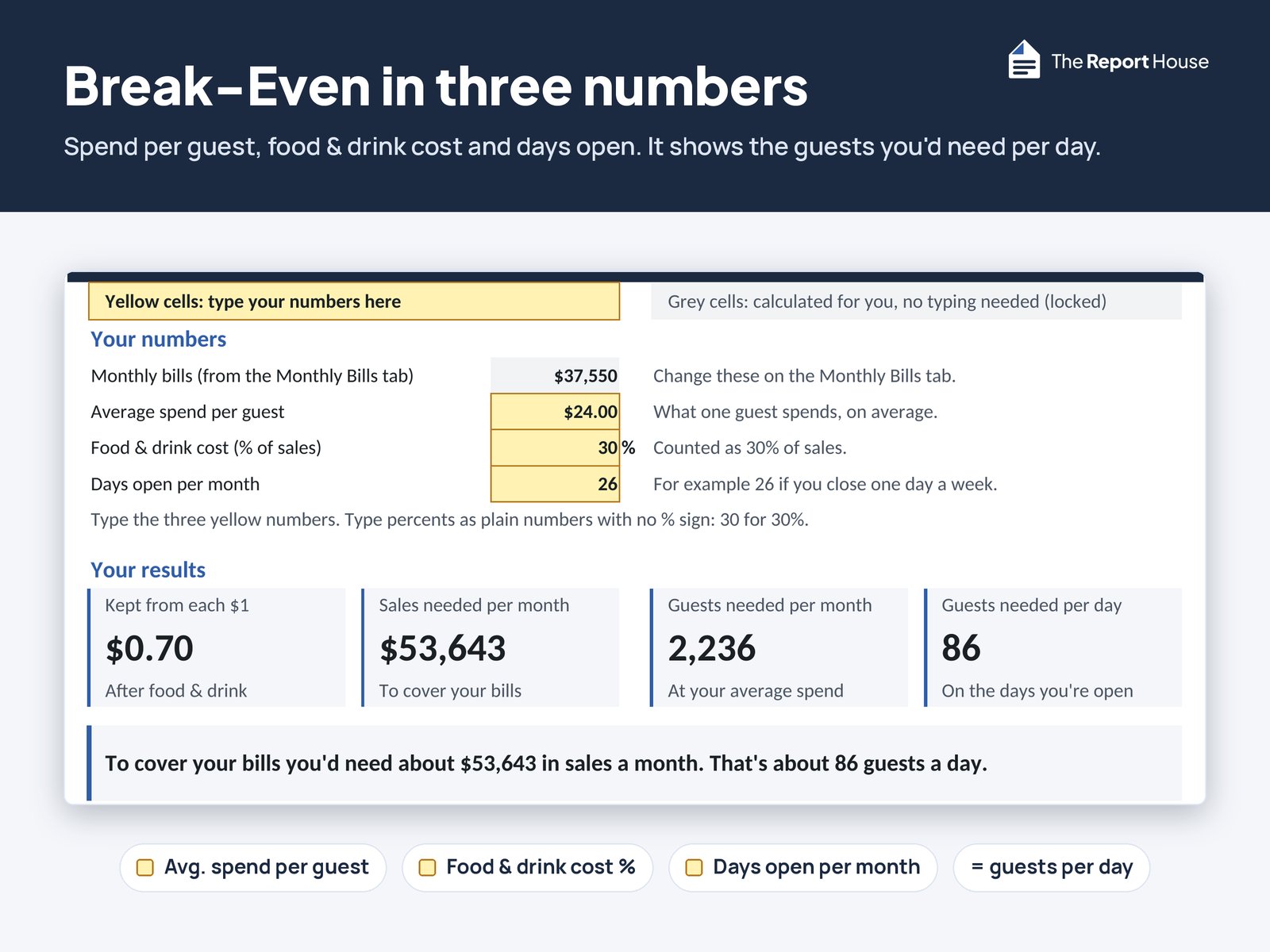
- Monthly bills and a simple break-even (sales and guests per day)
- Pre-opening checklist progress with progress bars, including your own tasks once you name them
- Yellow cells = type here. Grey cells = calculated and locked so you don't erase a formula by accident
Built to stay simple
- Type percents as plain numbers (10 for 10%); the % is printed beside the cell
- No built-in permit fees, state rules or dollar benchmarks, so nothing in the file goes out of date
- You enter your own quotes and what your local offices tell you
Planning guides
-
Cost breakdown + checklist
Restaurant startup costs: a line-by-line checklist
What owners spent to open a restaurant in a 2018 survey, the costs to price line by line, and how much extra cash to set aside.
Updated Oct 2026
How it works
- Open the Example Café file to see a filled-in plan, then open the blank planner.
- Type rough numbers in the yellow cells. Grey cells work themselves out.
- Check the Dashboard, change your guesses, and use the checklist and contacts workbook as you call around.
What it doesn't do
- It doesn't tell you which permits you need. Those depend on where you open and change over time. The checklist tells you who to ask, and the Local Contacts Workbook gives you space to write their answers.
- There's no month-by-month cash flow or deadlines tracker. This is the simple version: budget, break-even, checklist and contacts.
- It isn't legal, tax, financial, health-code or permitting advice.
- Blank Planned lines count as $0, so fill in rough guesses before trusting a green “yes”. Get real quotes before you commit.
Works with Excel and Google Sheets
- Microsoft Excel
- Google Sheets: upload the .xlsx to Google Drive, open it, then choose File > Save as Google Sheets. Cell locks usually don't carry over in Sheets, so type only in the yellow cells.
- Apple Numbers hasn't been tested
- Simple formulas only: no macros, no logins, no add-ons
- PDFs are US Letter. Money shows in $ format.
Questions
Does it tell me which permits I need?
No. Those depend on where you open and change over time. The checklist tells you who to ask, and the Local Contacts Workbook gives you space to write their answers.
Are the costs real?
The blank planner ships empty. Example Café is fictional and only shows how the sheets work.
Does it work in Google Sheets?
Yes. Upload the .xlsx to Google Drive, open it, then choose File > Save as Google Sheets. Cell locks usually don't carry over in Sheets, so still type only in the yellow cells.
Mac / Numbers?
Built for Excel and Google Sheets. Numbers has not been tested.
Can I add my own tasks?
Yes. The Checklist has 60 yellow rows numbered 121–180 for your own tasks. They count in the progress bars once you type a task name.
Can I edit it?
Yes. Type in any yellow cell, rename the lines, and use the spare rows in every budget section and on Monthly Bills. Add your own checklist tasks in rows 121 to 180. The grey cells are locked to protect the math, but there's no password if you want to change more.
I don't have a location yet. Can I still use it?
Yes, that's the best time. Start with rough guesses and update the numbers as real quotes come in.
Is there a cash-flow or deadlines tracker?
No. This is the simple version: budget, break-even, checklist, and contacts. We left out month-by-month cash flow on purpose.
Is this a business plan?
No. It's a planning spreadsheet for your startup budget, monthly bills and break-even, plus a checklist. It doesn't write a business plan for you.
A4 paper?
PDFs are US Letter only.
AI disclosure
We designed this product. AI tools helped draft the text, build the spreadsheet files and run tests. We reviewed and tested the final files.
Disclaimer
Planning tool only. Every figure is based on your inputs. This is not legal, tax, financial, health-code, or permitting advice. Requirements vary by location; confirm with your city, county, and state offices. Example Café numbers are invented for illustration, not real estimates.
Refunds
Digital files can't be returned once downloaded. If a file doesn't work as described, message us on Etsy within 30 days and we'll fix it or refund you.
Get the Simple Restaurant Opening Planner
Instant digital download on Etsy. Nothing ships.

Planning a food truck instead?
The Simple Food Truck Opening Planner covers a truck or trailer: startup budget, break-even in orders per service day and per hour, a 120-task checklist, and a permits & renewals log.
See the Food Truck Opening Planner