
Simple Food Truck Opening Planner
Get a rough answer before you buy a truck: startup costs, monthly bills and how many orders a day you'd need.
Instant digital download. 2 spreadsheets (.xlsx), 3 PDFs and a READ‑ME file.

See inside the planner
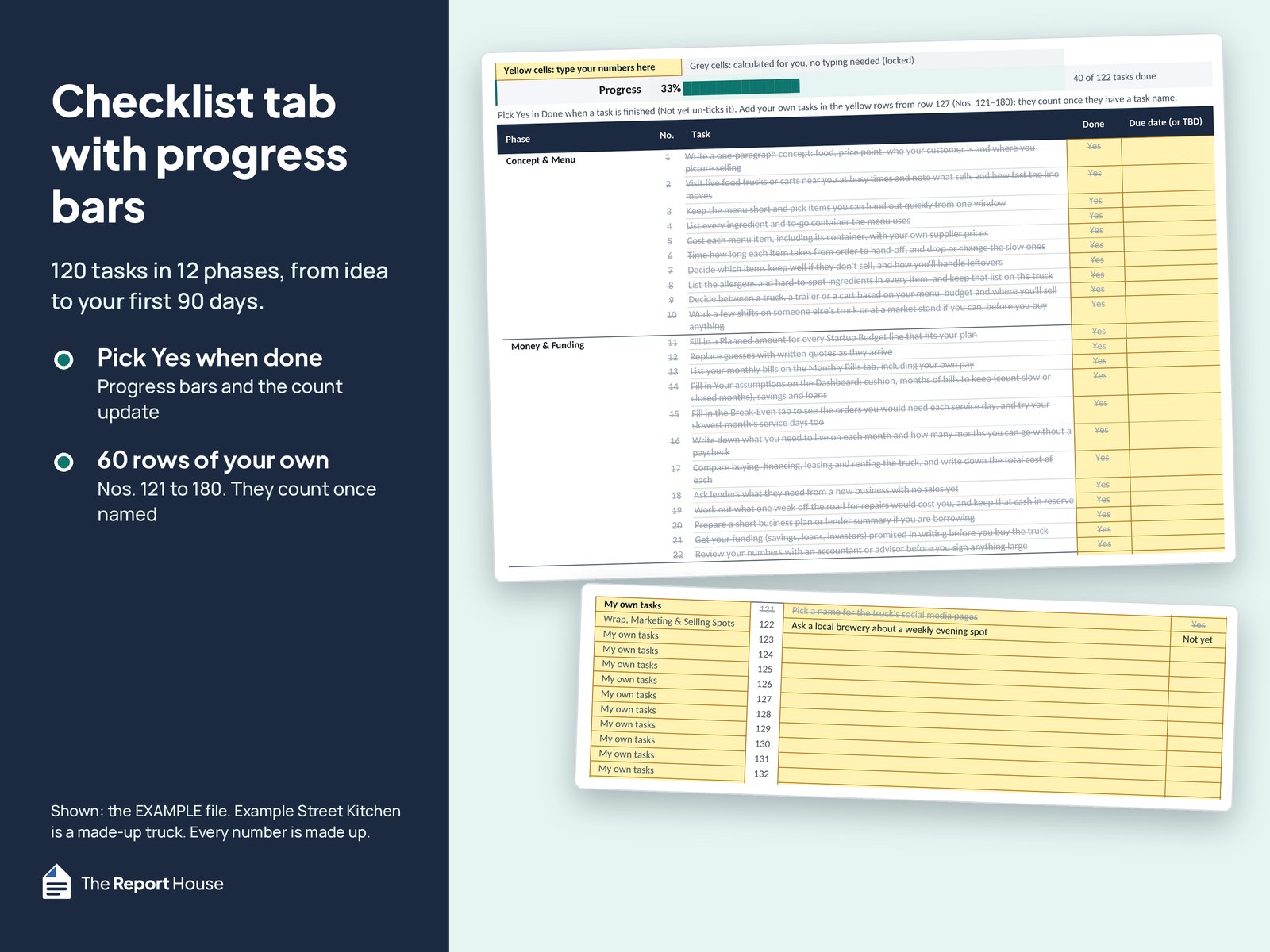
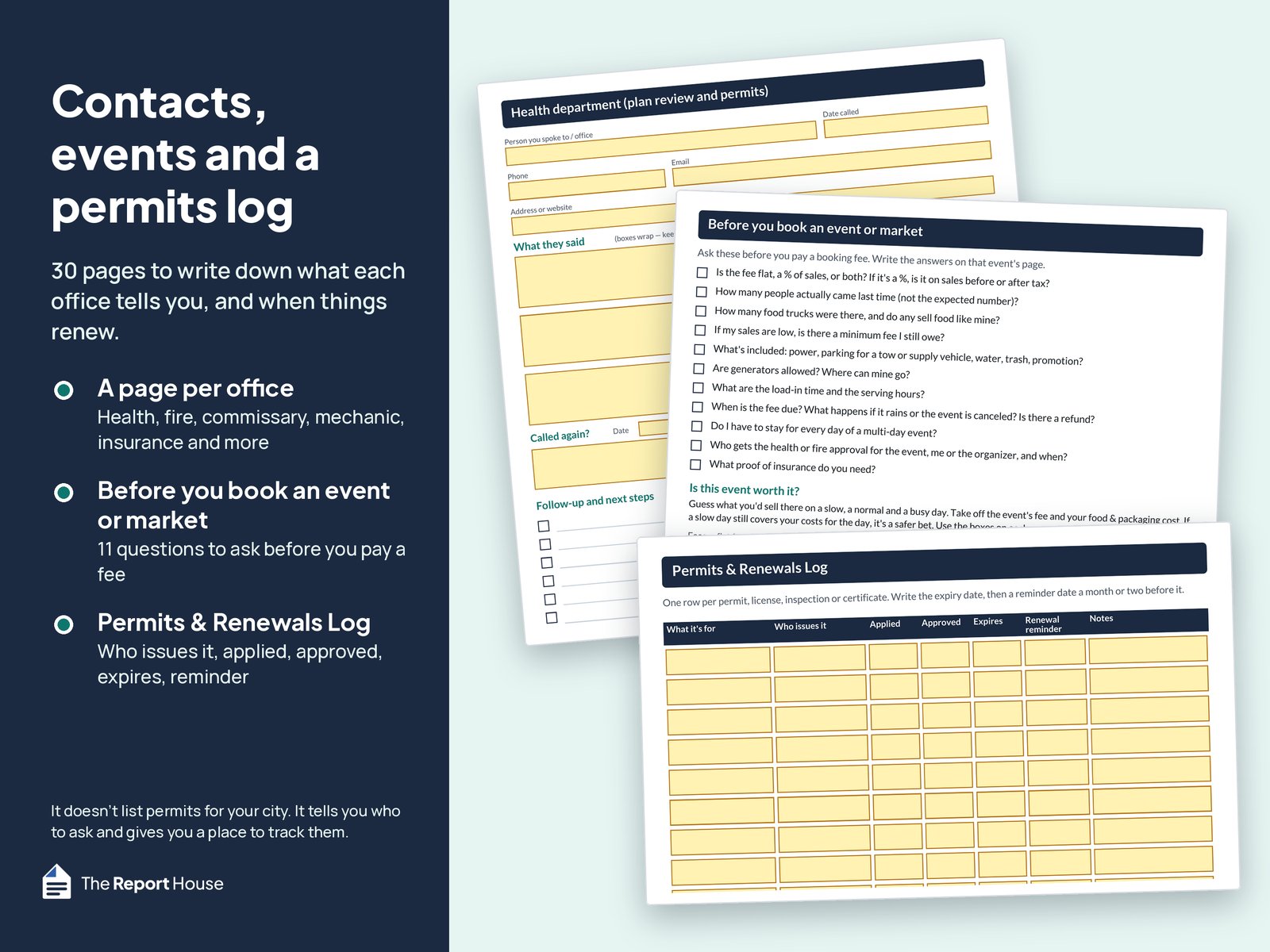
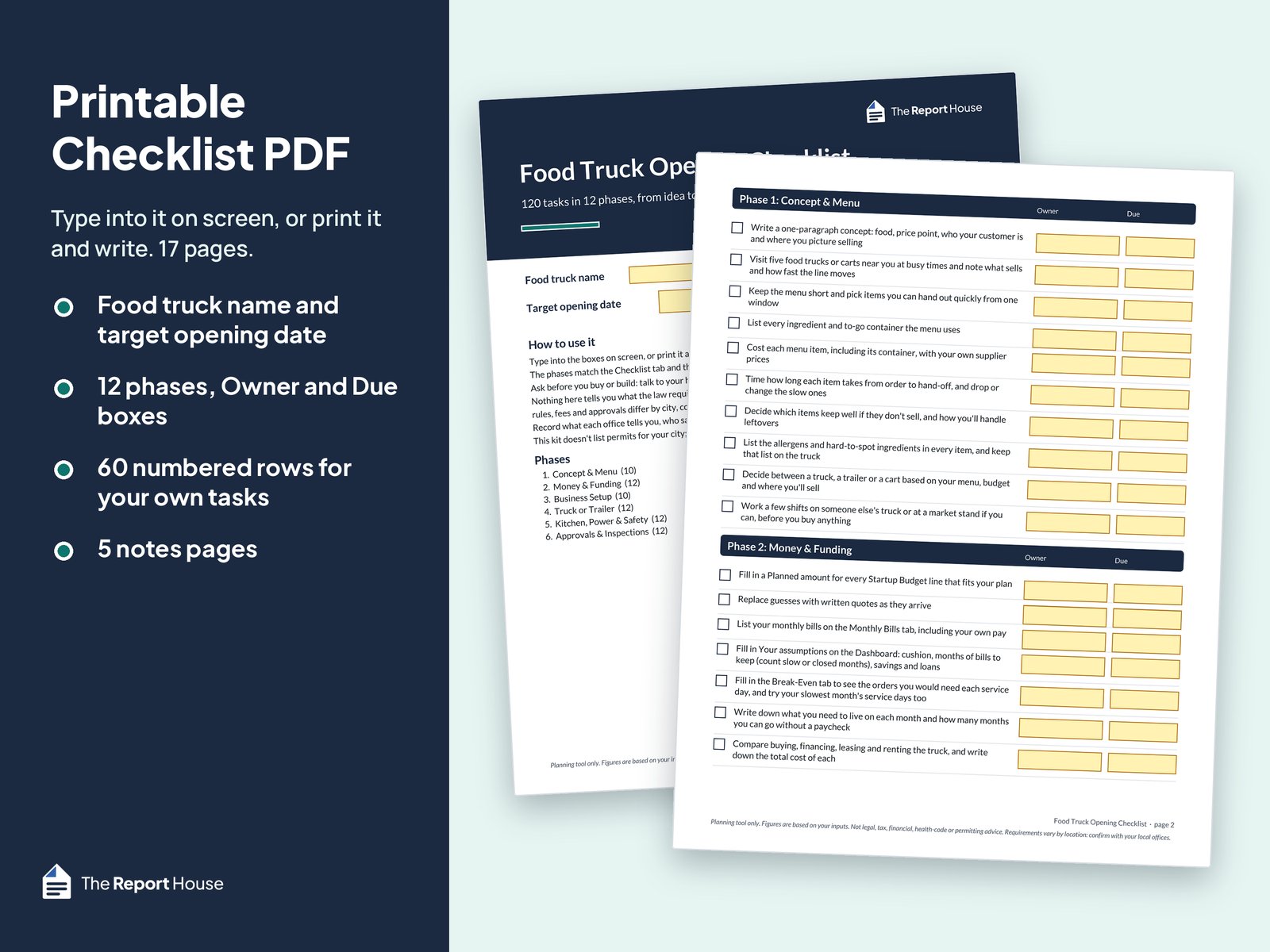
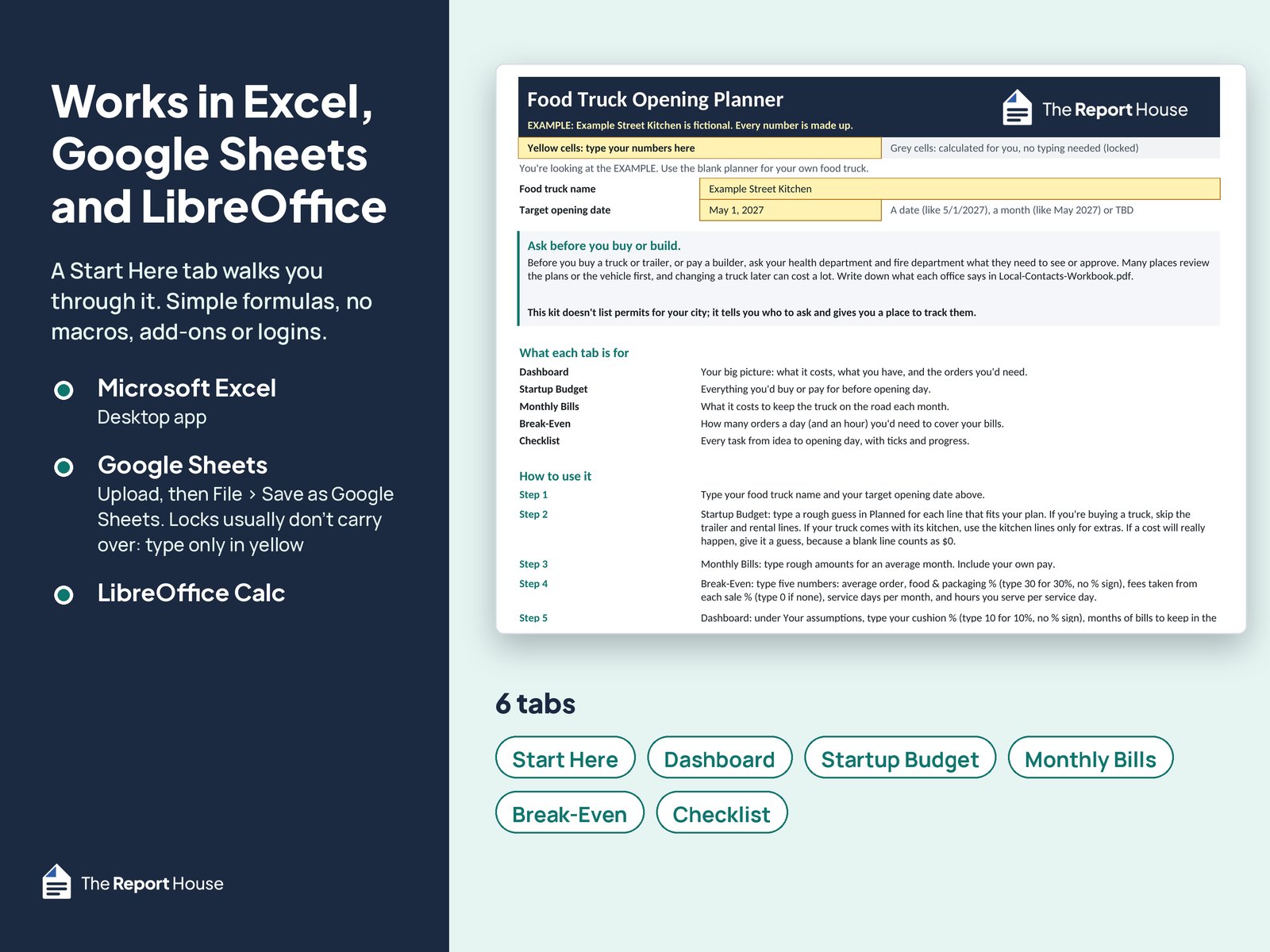
Real screens from the files. Example Street Kitchen and its numbers are made up. Select a picture to see it larger.
Who it's for
- Anyone planning a first food truck, food trailer or concession trailer
- People still deciding whether to buy, build, rent or lease
- Planners who want plain labels and simple numbers, not an accounting course
What's in the download
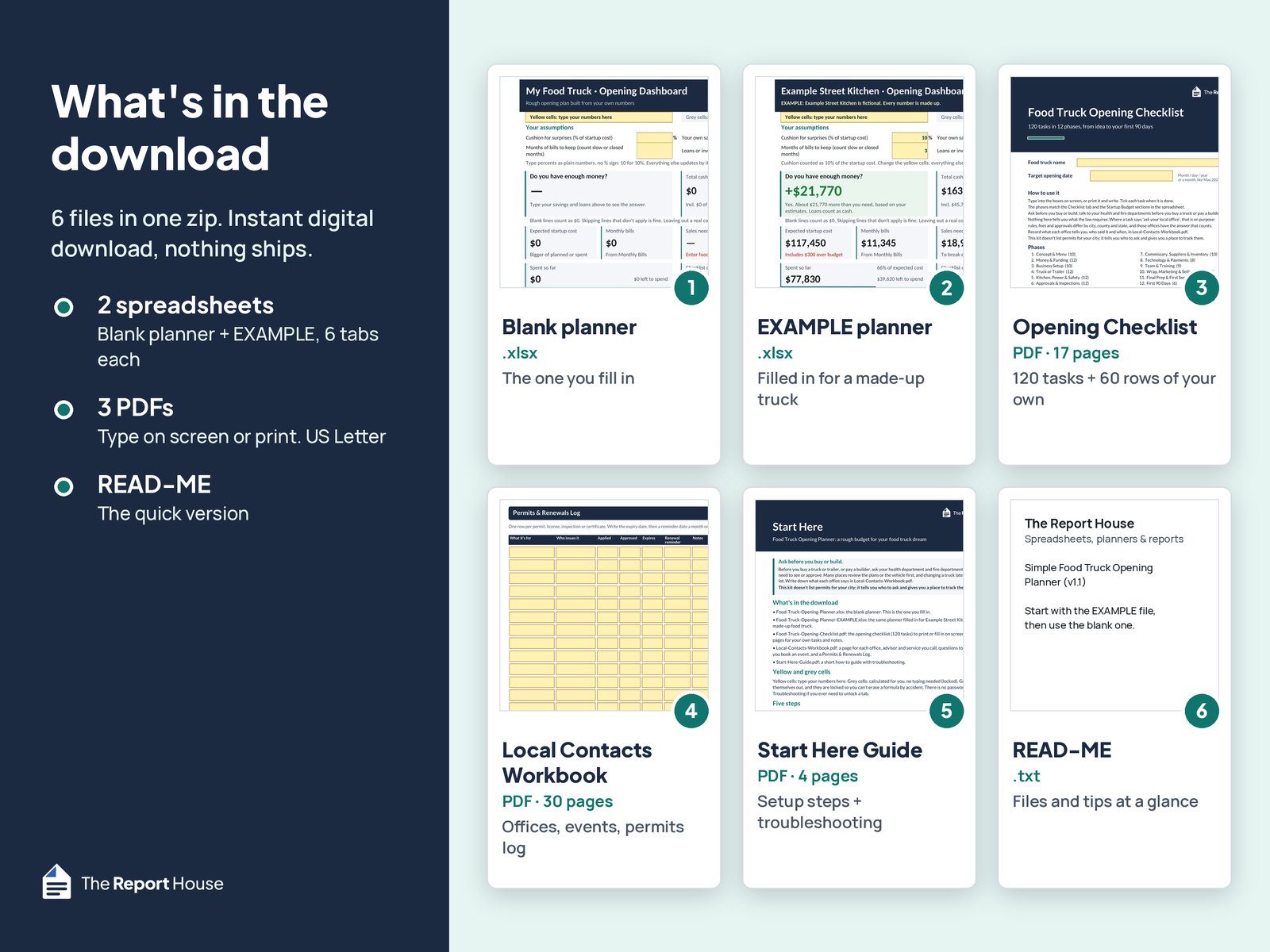
6 files in one zip.
- Food Truck Opening Planner (.xlsx)The blank planner you fill in, with 6 tabs: Start Here, Dashboard, Startup Budget, Monthly Bills, Break-Even and Checklist.
- Example file (.xlsx)The same planner filled in for “Example Street Kitchen”, a made-up truck, so you can see how it works. Its numbers are invented, not estimates.
- Food Truck Opening Checklist (PDF, 17 pages)120 tasks in 12 phases, from idea to your first 90 days, plus 60 numbered rows for your own tasks and 5 notes pages. Type on screen or print.
- Local Contacts Workbook (PDF, 30 pages)A page for each office or contact (health department, fire department, commissary, mechanic, insurance agent and more), 4 city or county pages, a “Before you book an event or market” questions page, 3 event and market pages, 4 blank pages, and a 2-page Permits & Renewals Log.
- Start Here Guide (PDF, 4 pages)Setup steps and troubleshooting.
- READ-ME.txtThe files and the main tips at a glance.
What it helps you work out
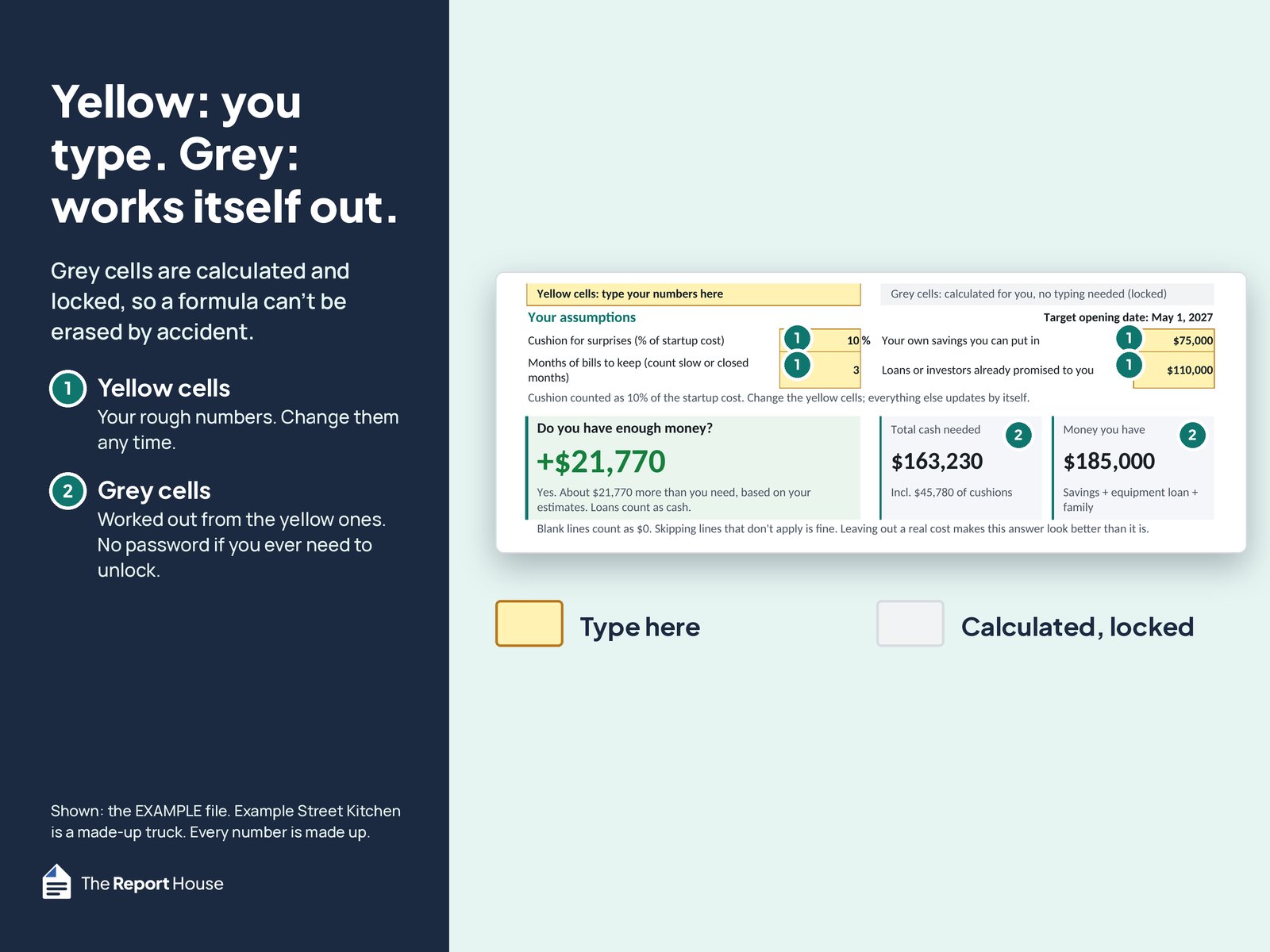
- Dashboard: “Do you have enough money?” The answer is in plain words (Yes, or Not yet with how much you're short), based on your own estimates, a cushion for surprises and the months of bills you want to keep in the bank.
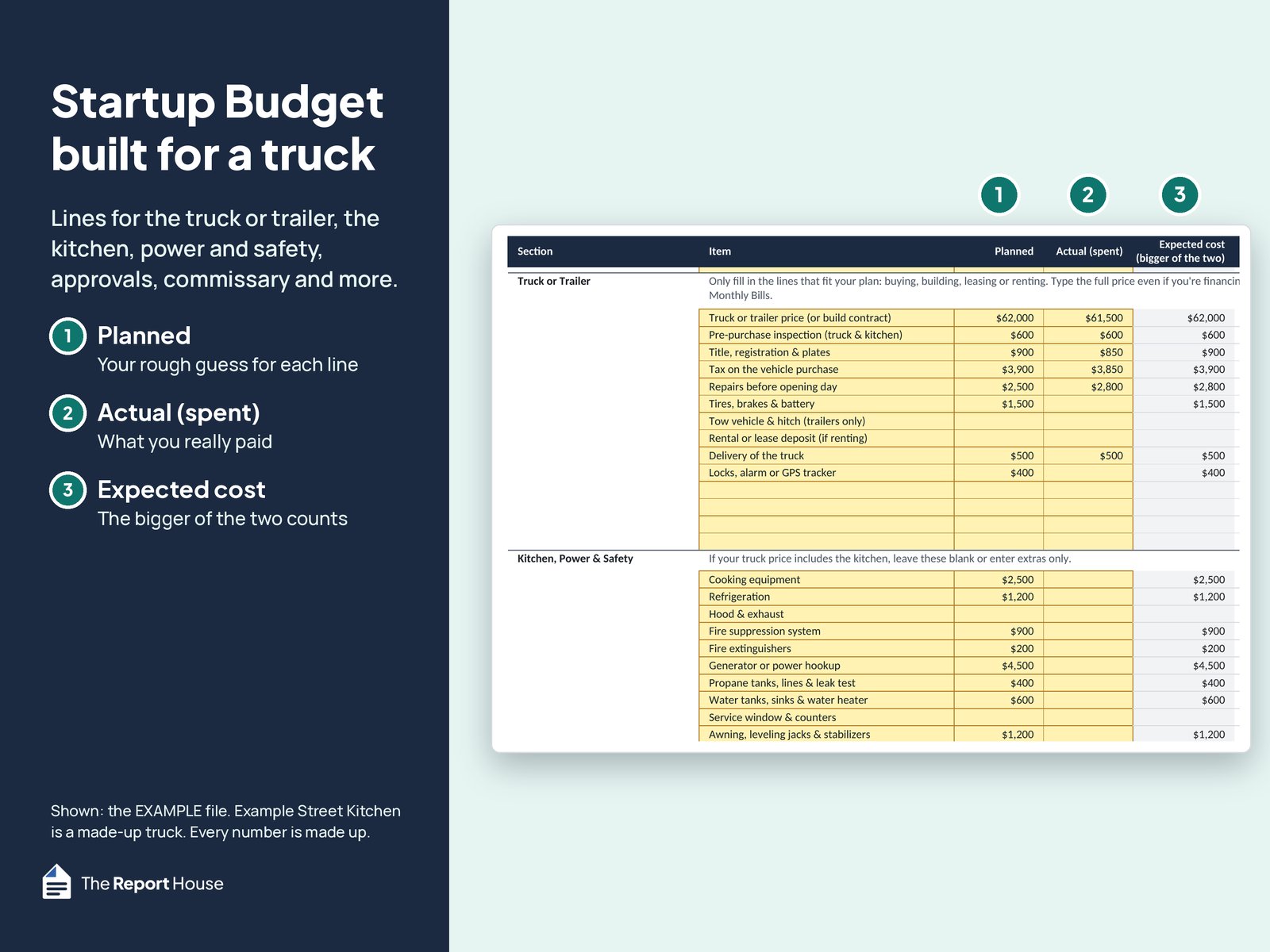
- Startup Budget: lines for the truck or trailer, the kitchen, power and safety, approvals, commissary, wrap and more, with spare rows. Type a Planned and an Actual for each line; the bigger one counts. If your truck comes with its kitchen, you only use the kitchen lines for extras.
- Monthly Bills: commissary rent, parking, fuel, propane, insurance, your truck payment, crew pay, your own pay and more.
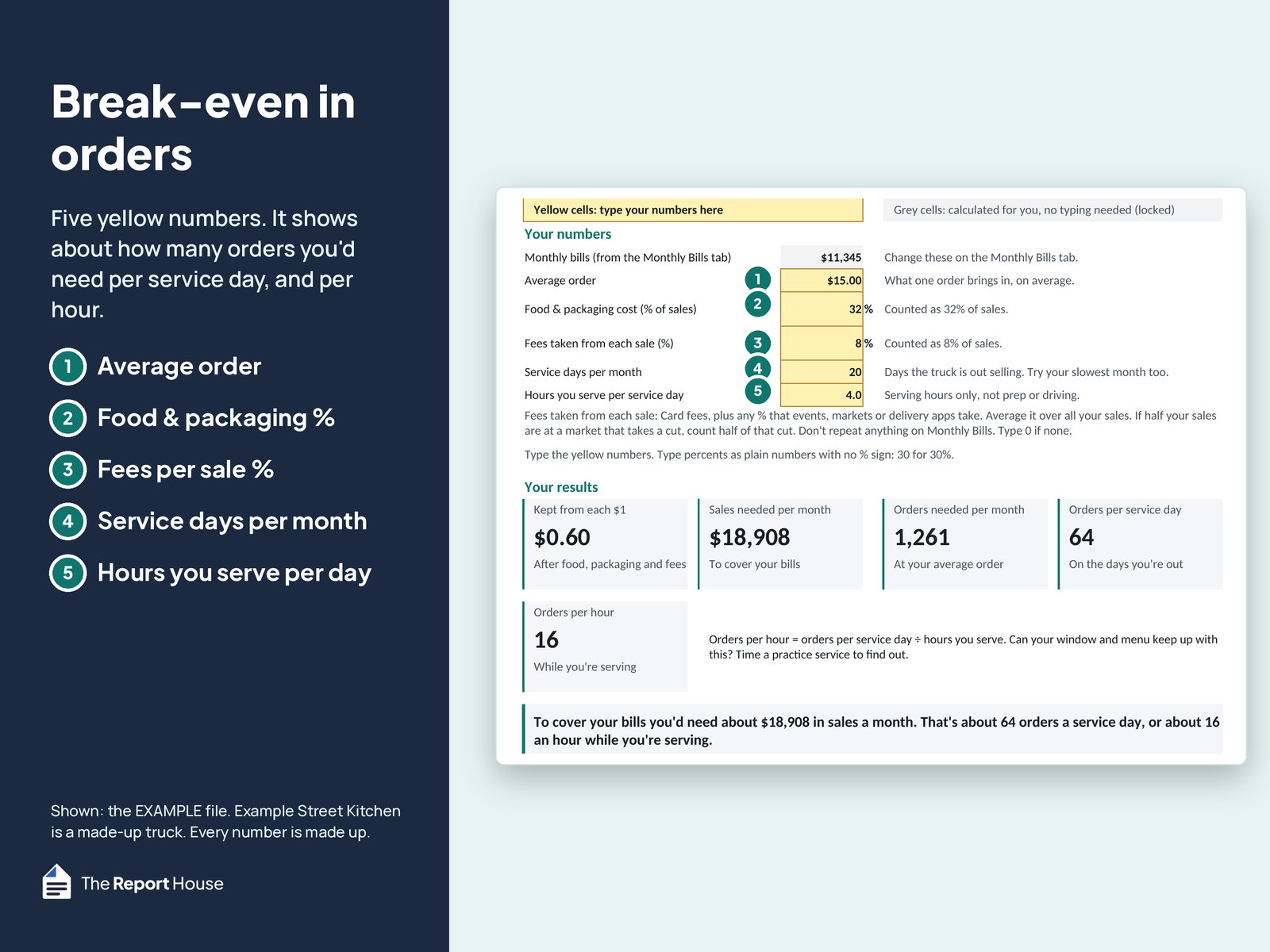
- Break-Even in orders: type your average order, your food & packaging %, the fees taken from each sale (card fees plus any cut that events, markets or apps take), your service days and your serving hours. It shows the sales you'd need each month and about how many orders a service day and an hour. Try your slowest month's service days too.
- Checklist tab: tick tasks with Yes and watch the progress bars, including the 60 rows for your own tasks.
- Target opening date at the top of the Dashboard.
Planning guides
-
Cost breakdown
How much does it cost to start a food truck?
What it costs to start a food truck, line by line: the truck, kitchen, permits, insurance and commissary, plus the costs people forget and how to get real quotes.
Updated Oct 2026
How it works
- Open the Example file to see a filled-in plan, then open the blank planner.
- Type rough numbers in the yellow cells. Grey cells work themselves out.
- Check the Dashboard, change your guesses, and use the checklist and contacts workbook as you call around.
What it doesn't do
- It doesn't list permits for your city. It tells you who to ask and gives you a place to track their answers, dates and renewals.
- It isn't legal, tax or financial advice. Your local offices and advisors have the answers that count.
- It doesn't plan routes or track daily sales. It's for planning before you open.
- The numbers are rough planning numbers from your own guesses. Get real quotes before you commit.
Works with Excel, Google Sheets and LibreOffice
- Microsoft Excel (desktop app)
- Google Sheets: upload the .xlsx to Google Drive, open it, then choose File > Save as Google Sheets
- LibreOffice Calc
- Apple Numbers hasn't been tested, so we can't promise it works there
- Grey formula cells are locked so you don't erase a formula by accident. There's no password: you can unlock a tab any time (the guide shows how). In Google Sheets the locks usually don't carry over, so type only in the yellow cells.
- Simple formulas only: no macros, add-ons or logins. PDFs are US Letter. Amounts show in $.
Questions
Does it tell me which permits I need?
No. Permits depend on where you park and sell, and they change over time. This kit doesn't list permits for your city; it tells you who to ask and gives you a place to track them. Each city or county page asks “Where may I park and sell, and for how long?”. The Permits & Renewals Log has columns for what it's for, who issues it, applied, approved, expires and a renewal reminder.
I have a Mac. Will it work? What about Numbers?
It's made for Excel and Google Sheets, and both run on a Mac (Google Sheets runs in your browser). Apple Numbers hasn't been tested, so we can't promise it works there. For the best results, use Excel or Google Sheets.
Can I edit it?
Yes. Type in any yellow cell, rename the lines, and use the spare rows in every budget section and on Monthly Bills. Add your own checklist tasks in rows 121 to 180. The grey cells are locked to protect the math, but there's no password if you want to change more.
Does it work for a trailer or a cart?
Yes for a trailer: the Truck or Trailer section has lines for a tow vehicle and hitch, and for a rental or lease deposit. For a cart, use the lines that fit, leave the rest blank and add your own in the spare rows.
I'm already open. Is it useful?
It's built for planning before you open, not for tracking daily sales or routes. If you're adding a second truck or rethinking your numbers, the budget, break-even and contacts pages can still help.
I don't have a truck yet. Can I still use it?
Yes, that's the best time. Start with rough guesses, ask your health and fire departments what they need to see before you buy or build, and update the numbers as real quotes come in.
Is this a business plan?
No. It's a planning spreadsheet for your startup budget, monthly bills and break-even, plus a checklist. It doesn't write a business plan for you.
AI disclosure
We designed this product. AI tools helped draft the text, build the spreadsheet and PDF files and run tests. We reviewed and tested the final files.
Disclaimer
Planning tool only. Every figure is based on your inputs. Not legal, tax, financial, health-code or permitting advice. Requirements vary by location, so confirm with your local offices. Example Street Kitchen and its numbers are made up.
Refunds
Digital files can't be returned once downloaded. If a file doesn't work as described, message us on Etsy within 30 days and we'll fix it or refund you.
Get the Simple Food Truck Opening Planner
Instant digital download on Etsy. Nothing ships.

Planning a restaurant instead?
The Simple Restaurant Opening Planner has the same simple setup for a restaurant: startup budget, monthly bills, break-even in guests per day, and a 120-task pre-opening checklist.
See the Restaurant Opening Planner